

Smart File Manager with
Built-In Image Editor
Organize, edit, and optimize your images effortlessly with
our smart file manager and built-in image editor.
Compress files easily
Resize & crop photos Convert image formats
Batch edit multiple files
Secure share & download
All-in-One Image Editing and Optimization

Our all-in-one image editing and optimization tool makes managing your photos simple and efficient. With just a few clicks, you can crop, resize, and enhance images right inside your file manager. Easily adjust brightness, contrast, and colors to get professional-quality results every time. Our smart compression feature reduces file sizes without losing image clarity, helping your website load faster and rank better in search engines. You can convert image formats like JPEG, PNG, or WebP to suit any platform or project. Batch edit multiple photos at once to save valuable time and keep your visuals consistent. Share or download your optimized images securely, directly from your file manager. Take control of your images with one powerful, easy-to-use editing and optimization solution!
Get Started with Powerful Editing Tools
Start EditingWhy Choose Our Image Editor & File Manager”
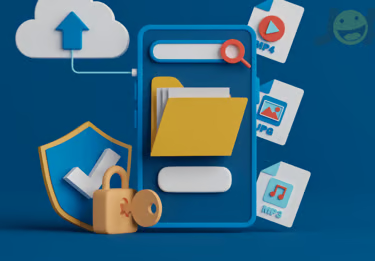
Our Image Editor & File Manager is designed to make your work faster, easier, and more efficient. With powerful built-in tools, you can edit, resize, crop, and optimize images without switching between different apps. Our smart image editor compression keeps your files small and your image quality high, which is perfect for web and SEO performance. You can also convert image formats in seconds to meet any project’s needs. Batch editing saves you valuable time when working with multiple photos at once. All your files stay secure, and you can share or download them safely anytime. The user-friendly interface means anyone can manage and edit images with zero hassle. Choose our all-in-one solution to keep your images organized, optimized, and always ready to use.
Image Editor Services
In-Built Image Viewer & Editor
View and edit your images instantly with our in-built image viewer and editor. Make quick edits like cropping, resizing, or enhancing without ever leaving your file manager.

Image Compression & Optimization Tool
Make it easy for customers to find you with seamless Google Map integration on your website.

Resize & Crop Stored Images
Resize and crop stored images quickly and easily right inside your file manager. Adjust dimensions to fit websites, social media, or print without any extra tools. Save time by editing images on the go while keeping your files organized and ready to use.
Convert Image Formats
Convert image formats instantly within your file manager. Change JPEGs to PNGs, PNGs to WebP, or any other popular format with just a click. Make your images compatible for web, print, or sharing without needing extra software.
Batch Edit Multiple Images
Edit multiple images at once with our Batch Edit feature built into your file manager. Resize, rename, compress, or optimize dozens of photos in just a few clicks. Save valuable time and keep all your visual content consistent and ready to share.

Secure Image Sharing & Download
Securely share and download your edited images directly from your file manager. Protect your files with encrypted sharing links and controlled access. Enjoy fast, safe downloads and hassle-free collaboration with your team or clients.

Frequently Asked Questions
Can I edit images directly in the file manager without extra software?
Yes! Our file manager has an in-built image viewer and editor, so you can crop, resize, compress, and optimize images instantly without installing any additional tools.
Does the image compression reduce quality?
No — our smart Image Compression & Optimization Tool reduces file size while preserving high image quality, making your photos web-ready and SEO-friendly.
Can I convert image formats like JPEG to PNG?
Absolutely! You can convert images to different formats (JPEG, PNG, WebP, etc.) directly within the file manager in just a few clicks.
Is it possible to edit multiple images at once?
Yes, with our Batch Edit feature, you can resize, rename, compress, and optimize multiple images at the same time to save time and maintain consistency.
How secure is image sharing and download?
Very secure — you can share images using encrypted links and control access permissions. Downloads are safe and quick, keeping your files protected.