

Advanced File Manager with
Powerful Search Engine Features
Our advanced file manager comes equipped with powerful search engine features,
making it easy to find, organize, and manage your files effortlessly.
Fast indexing
Tag & categorize Secure storage
Easy dashboard
Multi-format support
Integrated Search Engine Features in Your File Manager

Our smart file manager comes with powerful built-in search engine features to help you locate any file instantly. Advanced indexing ensures your files are always searchable, no matter how large your storage gets. Use filters, keywords, and tags to narrow down results in seconds. Forget wasting time scrolling through endless folders — find what you need with just a few clicks. Our secure search tools keep your data private while delivering fast, accurate results. You can also organize files by categories, dates, or custom labels for better control. This integrated search makes managing documents, images, and media files effortless. Save time, stay organized, and boost productivity with our smart search engine tools.
Get Started with Advanced File Search Features
Try Smart File SearchUnlock Advanced Search in Your File Manager

Unlock advanced search in your file manager and find any file in seconds. Our smart search tools make it easy to locate documents, images, videos, or any file type with just a few keywords. Powerful indexing keeps your entire file system organized and searchable at all times. Use filters and tags to refine your search results and save time. No more endless scrolling through cluttered folders — get exactly what you need, when you need it. All searches are secure and private, keeping your data safe while boosting productivity. You can also create custom folders and categories for better file organization. Whether you’re a student, professional, or business owner, our advanced search features adapt to your workflow. Experience the easiest way to search, manage, and stay in control of your files.
Search Engine Tools Services

Smart File Search & Filtering
Our integrated search engine tools help you quickly locate, filter, and organize files with smart indexing and instant results.

Advanced Indexing & Tagging
Keep your entire file system organized with advanced indexing and tagging. Automatically index new files for faster searches and effortless access. Add custom tags to group and manage files the way you want.
Secure File Storage & Access
Store all your files safely with robust encryption and secure access controls. Only authorized users can view or manage your data, ensuring complete privacy. Enjoy peace of mind knowing your files are protected at all times
Custom Folders & Categorization
Organize your files exactly the way you like with custom folders and categories. Create, rename, and manage folders to match your workflow. Easily categorize files for quick access and better productivity.
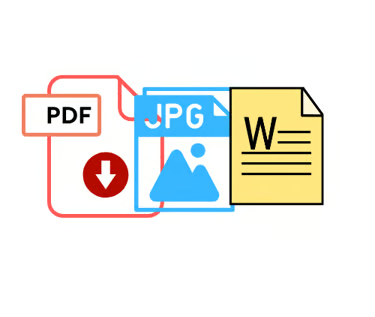
Multi-Format File Support
Work with all your files in one place, no matter the format. Our file manager supports documents, images, videos, and more without compatibility issues. Easily upload, view, and manage multiple file types hassle-free.

Real-Time Sync & Backup
Keep your files safe and up to date with real-time sync and automatic backup. Any changes you make are instantly saved across all your devices. Never worry about losing important data again.

Frequently Asked Questions
How do the search engine tools help me find files faster?
Our smart search engine tools use advanced indexing, filters, and tags to help you locate any file instantly, saving you time and effort.
Is my data secure while using the search features?
Yes, all searches are performed securely with encrypted access, ensuring your files and information remain private and protected.
Can I organize files using tags and categories?
Absolutely! You can add custom tags and create folders or categories to organize your files in a way that suits your workflow.
Does the file manager support all file formats?
Yes, our file manager works with multiple file formats, including documents, images, videos, and more — all in one place.
How does real-time sync and backup work?
Any changes you make are automatically synced and backed up in real time, so you never lose important files and always have the latest version available.